
WowReader
Submitting Information
There are many ways to upload your character's information to Allakhazam.com.
- Our World of Warcraft addon and uploader is called WoWReader. Once you download and install this addon, it will automatically read your character information including inventory and send it to the site. WoWReader also collects item, npc and quest information from your play session. WoWReader will automatically update itself if needed when it launches.
- You may also import characters directly from the WoW Armory. Characters imported from the armory will not have inventory information, and are subject to the same delays in updates as the armory is. Additionally, the armory throttles how often websites can poll information, and may refuse our request for an update.
- We also have a stand alone Lua addon, which will collect your profile information to a SavedVariables file. You can then upload this SavedVariables file to update profile information.
WoWReader Information
What is WoWReader?
WoWReader is the tool Allakhazam.com uses to keep its wikibase up to date. Without WoWReader and the community of people who use it, we would not be able to provide you with this useful site. It consists of a standard World of Warcraft addon that is no different than the ones you already have installed, with an additional application which is used to parse and upload the information that the UI addon gathers after you leave the game. While you play, the addon gathers information about everything you see within the game and then, after you log out of the game, uploads that information directly to our site to be added to our database. If you provide it with your Allakhazam.com user information, WoWReader can also upload a profile to our site that has more information than the profiles imported from the armory. This can be especially useful when using the Allakhazam.com profile upgrade tools.
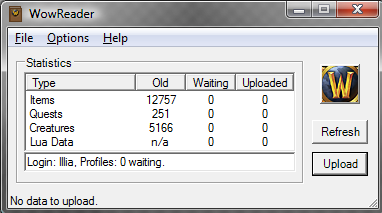
How do I submit items, mobs, my profile and/or my guild?
Download WoWReader, install it, and run it. Then go play WoW. That's really all there is to it. WoWReader will run in the background with no additional load to your computer. To upload your profile and guild information, there is an additional step. Click Options >> Login. Click Log In then addd your Allakhazam.com login name and password and click save. To upload a profile, WoWReader needs to be running and you need to log in and out of that profile in game so that it gathers the profile information. Don't have an Allakhazam user name? Go to this link and sign up for one.
How do I get it?
Will I get banned from WoW by Blizzard if I use WoWReader? Isn't it considered third party software?
WoWReader isn't third party software, it is considered a LUA UI addon. Blizzard has approved its usage.
WoWReader Support
My profile is not updating
- Verify the Wr UI Addon is loading within the game. You can type /wver in game to confirm it's running.
- If it's not loaded, exit out of WoW and go to character select, then click on the "Addons" button and make sure its not disabled. (If you've checked this, please mention it in your post on this thread so we can save some time.)
- Ensure you're having WoWReader upload successfully after you've logged out from the game world on the character you wish to update.
- It can take a couple minutes between a successful upload and your profile reflecting the changes.
- Stats on profile search are updated hourly, not instantly, so if your profile shows the correct stats, but search doesn't, just give it some time.
My pw changed to a long string of ***'s.
- Ensure that you actually entered your correct login and password for this website.
- Be sure that both the login AND password are correct. They are both case-sensitive. If in doubt, or the error persists, try changing your password on the website, then entering the new one. *The number of ***'s shown on the login screen is not related to the length of your password. The extra stars shown are not causing your problem.
The application failed to initialize properly (0xc0000135). Click on OK to terminate the application
Fix this by installing the newest version of .NET.
Error message: "Application has generated an exception that could not be handled. Process id = 0x??? (????) Thread id = 0x??? (????)
- First, make sure that you installed WoWReader to a local hard drive, and not to a network share.
- Next, try uninstalling, downloading the installer again and reinstalling wowreader.
- Finally, try deleting the WoWReader SavedVariables file and WoW's WDB directory. By default, this would be the file "C:\Program Files\World of Warcraft\WTF\Account\\SavedVariables\Wr2.lua", and the directory "C:\Program Files\World of Warcraft\Cache". Log in and out of WoW after doing so, and they'll be recreated.
I am having problems with WoWReader not listed here.
A: Access our message board thread devoted to WoWReader located at this link and post your problem. You can also send an e-mail to rale@allakhazam.com. In your post or e-mail please include any errors you are experiencing and on what days.